
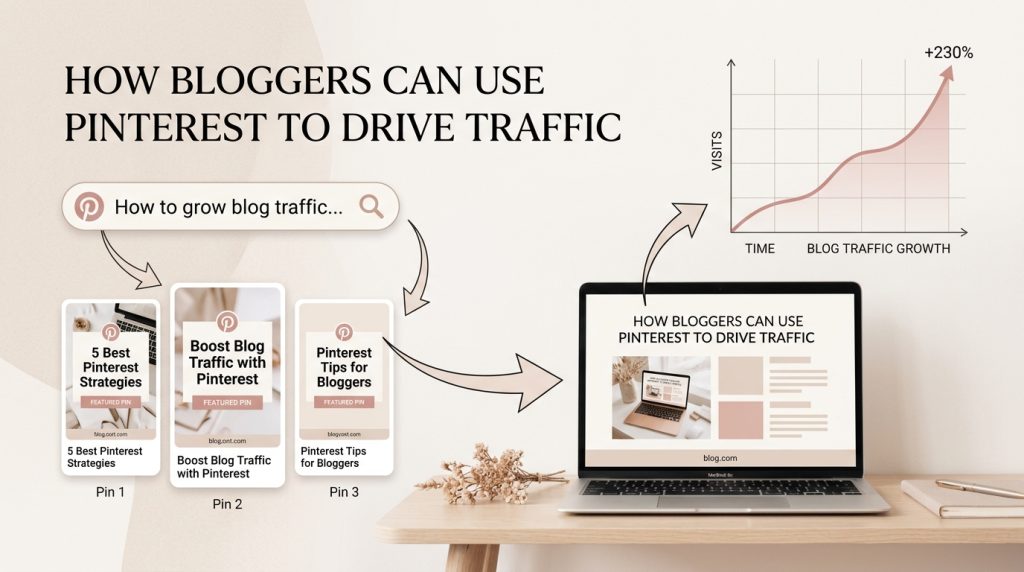
Many bloggers seem to be paying little or no attention to Pinterest traffic.
Bloggers struggle to get consistent traffic to their websites. They write valuable blog posts, publish regularly, and optimize for SEO, yet only a few people discover their content.
While many bloggers focus on Google rankings or social media for visibility, Pinterest traffic is another powerful source worth considering.
Pinterest is not just a platform for inspiration. It is a visual search engine where users actively search for ideas, solutions, and products. Users come with clear intent, and this is what Pinterest is all about.
Pinterest can become a strong source of traffic for bloggers and content creators.
In this guide, you’ll learn what Pinterest traffic is, how Pinterest drives traffic, and how bloggers can start using Pinterest strategically.
What Is Pinterest Traffic?
Pinterest traffic refers to visits, clicks, and engagement your website receives from Pinterest.
Whenever someone discovers your pin, clicks on it, and lands on your blog post or website, that counts as Pinterest traffic.
Pinterest traffic can come from:
- Search results
- Home feed
- Related pins
- Saved boards
For bloggers, this means Pinterest can continuously send readers to your content long after publishing.
Why Should Bloggers Use Pinterest for Traffic?
Pinterest works differently from most social media platforms.
On many social platforms, users scroll casually for entertainment.
Pinterest users behave differently.
They come to Pinterest to:
- search for solutions
- plan future actions
- compare ideas
- make decisions
This is called intent-based behavior.
For example, someone might search:
- how to start a blog
- meal prep ideas
- email marketing strategy
- Pinterest tips for bloggers
This means users on Pinterest are often ready to take action.
That makes Pinterest highly valuable for bloggers because your content appears in front of people already searching for what you teach.
How Does Pinterest Drive Traffic?
Pinterest traffic usually follows this journey:
Step 1: User Searches a Keyword
A user types a keyword into Pinterest search.
Example:
- blogging tips
- content strategy
- Pinterest SEO
Step 2: Pinterest Shows Relevant Pins
Pinterest analyzes keywords in:
- profile
- boards
- pin titles
- pin descriptions
Then it shows relevant pins.
Step 3: User Clicks the Pin
If your pin design catches attention, the user clicks it.
Step 4: User Visits Your Blog
The pin sends them to your:
- blog post
- landing page
- website
- freebie
That is how Pinterest drives traffic.
How Can Bloggers Get Traffic on Pinterest?
Here are the main steps to start getting traffic from Pinterest.
1. Create a Pinterest Business Account
Start with a business account instead of a personal account.
A business account gives you access to:
- analytics
- website claiming
- performance tracking
- business tools
This helps you understand what content performs best.
2. Claim Your Website
Claiming your website tells Pinterest that you own the content linked to your pins.
This helps build trust and gives Pinterest more context about your niche.
For bloggers, this step is important because your blog is the destination for traffic.
3. Optimize Your Profile
Your profile should clearly tell Pinterest what your account is about.
Optimize:
- profile name
- bio
- niche keywords
Example keywords:
- Pinterest marketing
- blogging tips
- content strategy
This helps Pinterest understand who to show your content to.
4. Create Keyword-Optimized Boards
Boards help organize your content.
They also help Pinterest understand your account.
As a beginner, start with 5–10 relevant boards.
Examples:
- Pinterest Marketing Tips
- Blogging Tips
- Content Marketing
- SEO Tips
Each board should have:
- clear title
- keyword-rich description
- focused niche
5. Create SEO-Friendly Pins
Pins are what users see first.
To increase traffic, optimize your pins with:
Strong Pin Titles
Use searchable keywords.
Examples:
- How to Get Blog Traffic
- Pinterest Tips for Beginners
Pin Descriptions
Write natural descriptions using keywords.
High-Quality Images
Use clean, scroll-stopping visuals.
Your pin should immediately communicate value.
How to Get More Traffic on Pinterest
If you want more traffic, focus on these areas.
Consistency
Pinterest rewards consistent publishing.
Search Optimization
Use relevant keywords throughout your account.
Better Pin Design
Good design increases clicks.
Content Quality
Strong blog posts improve engagement and saves.
The better your content matches search intent, the better Pinterest can distribute it.
How Long Does It Take to Get Pinterest Traffic?
Pinterest is a long-term platform.
Unlike social media where posts can disappear after a few hours, pins can continue performing for months or even years.
This is one of Pinterest’s biggest advantages.
Many beginners may start seeing early results within a few weeks, but meaningful traffic often takes 3–6 months of consistency.
Results depend on:
- niche
- keyword strategy
- consistency
- pin quality
- content quality
Pinterest rewards patience.
How long does Pinterest Traffic Last?
Yes.
Pinterest traffic can last much longer than traffic from most social platforms.
A well-optimized pin can continue generating:
- impressions
- saves
- clicks
- traffic
for months or even years.
That makes Pinterest a strong source of evergreen traffic.
How Pinterest Increases Website Traffic.
Pinterest is more than an inspiration platform.
For bloggers, it can become a powerful traffic engine.
Because Pinterest users search with intent, your content has the opportunity to reach people actively looking for solutions.
If you’re a blogger looking for sustainable traffic beyond Google and social media, Pinterest is worth adding to your content strategy.
Start simple:
- create a business account
- optimize your profile
- build relevant boards
- create helpful pins consistently
Over time, those small efforts can compound into long-term traffic growth.